Jellyfin transcodes on the N100’s Quick Sync once the container can see /dev/dri
Jellyfin 10.10.7 runs in Docker inside an LXC container on pve-3. With the render device passed through both layers, a 4K film transcodes at 12 % CPU instead of 100 %.
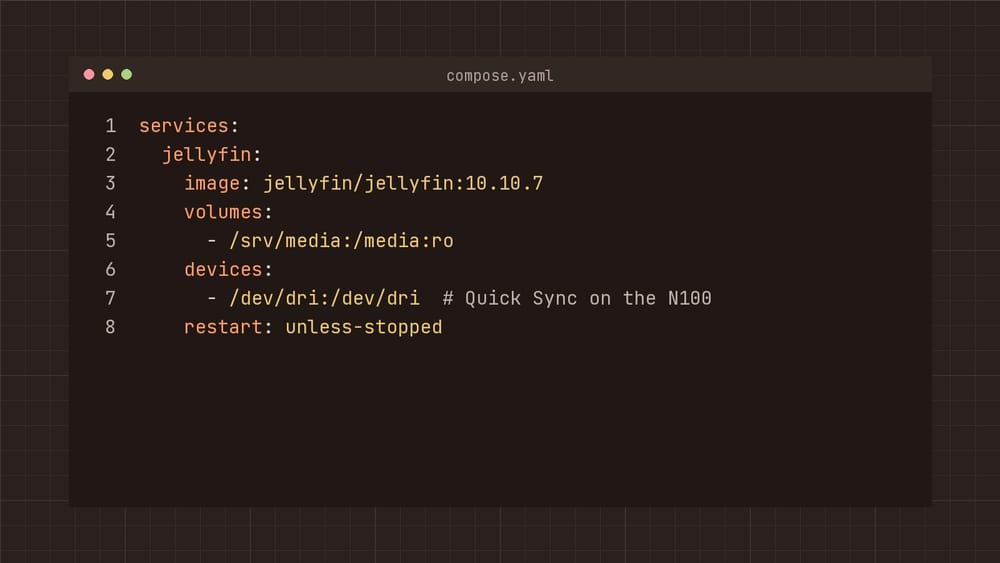
Jellyfin 10.10.7 runs on pve-3 in Docker, inside an LXC container called media at 10.0.10.31. Until this week it transcoded on the CPU: all four cores at 100 % for one 4K film, and the TV still stuttered. The N100 has Quick Sync, and once the container can see /dev/dri, Jellyfin hands the work to it.
Pass the device into the LXC container
arch: amd64
cores: 2
hostname: media
memory: 4096
features: nesting=1
dev0: /dev/dri/renderD128,gid=993
mp0: /mnt/media,mp=/srv/media,ro=1
gid= is the render group inside the container. Mine is 993; getent group render inside the container tells you yours. /mnt/media is the NAS share, mounted on pve-3 from /etc/fstab.
Pass it into Docker
services:
  jellyfin:
    image: jellyfin/jellyfin:10.10.7
    volumes:
      - ./config:/config
      - ./cache:/cache
      - /srv/media:/media:ro
    devices:
      - /dev/dri:/dev/dri
    group_add:
      - "993" # [!code ++]
    ports:
      - 8096:8096
    restart: unless-stopped
Without group_add the device is there, but the Jellyfin user may not open it, and Jellyfin falls back to the CPU without saying why.
$ docker exec jellyfin ls -ln --time-style=long-iso /dev/dri
total 0
crw-rw---- 1 0 993 226, 128 2026-10-25 17:02 renderD128
Switch it on in Jellyfin
Under Dashboard, Playback, Transcoding, set hardware acceleration to Intel QuickSync (QSV) and tick HEVC and AV1 for decoding. The N100 decodes both.
A 4K HEVC film to 1080p for the TV now takes 12 % CPU, and pve-3 draws 19 watts while it runs.
subscribe
New entries and the next chapter by mail, nothing else.