Style guide: how an entry here looks
Every element an entry on The Loft Rack can use, written the way Edda and I write them.
Edda asked how an entry should look before she wrote her first one. This is the answer: every element an entry here can use, each under a heading that names it.
Heading level two
Sections a reader jumps to, such as "The timer". They fill the table of contents.
Heading level three
A step inside a section. Indented in the table of contents.
Heading level four
Rare. Used once, for the options of one config key.
Heading level five
Not used yet.
Heading level six
Not used yet either, but it has a size.
Paragraph with inline formats
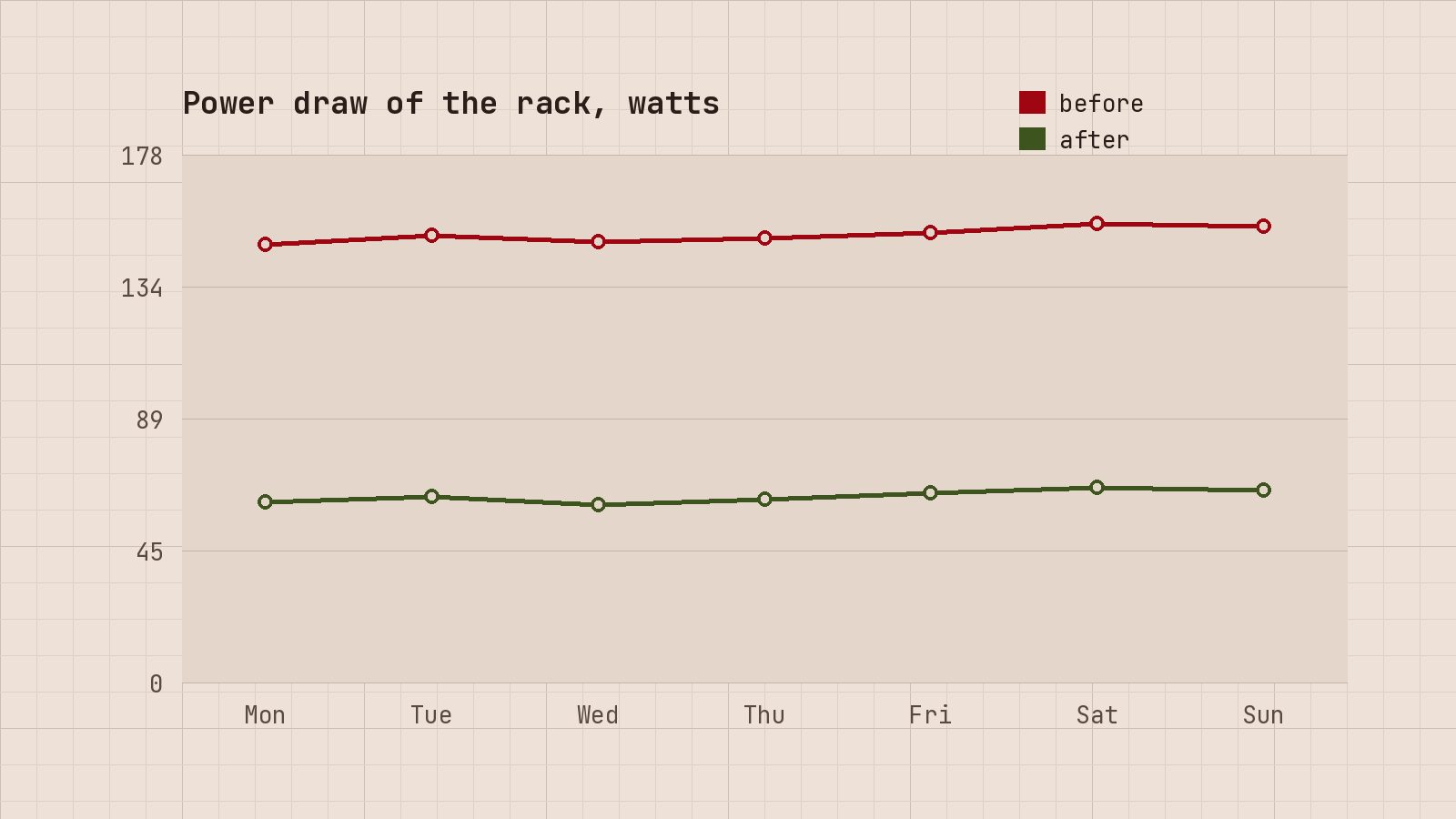
The rack draws 62.5 watts, on average, and the old tower is gone. Commands go in code, like restic snapshots. The NAS keeps four disks, rated for Tmax = 60 °C, and a TiB is 240 bytes. In November the alert went to an address I no longer read, as the incident note explains.
Bulleted list
- Three nodes, one cluster.
- One NAS with four disks.
- One Pi that only does DNS.
Numbered list
- Check last night’s backup.
- Update one node.
- Wait for quorum, then the next.
Blockquote
A backup counts once a restore has worked.
Aside quote
Edda’s rule for the loft: nothing goes up the ladder that cannot be switched off over the network.
Code block with a file name
services:
  jellyfin:
    image: jellyfin/jellyfin:10.10.7
    restart: unless-stopped
Terminal
$ pvecm status | grep Flags
Flags:            Quorate
$ df -h /srv
Filesystem      Size  Used Avail Use% Mounted on
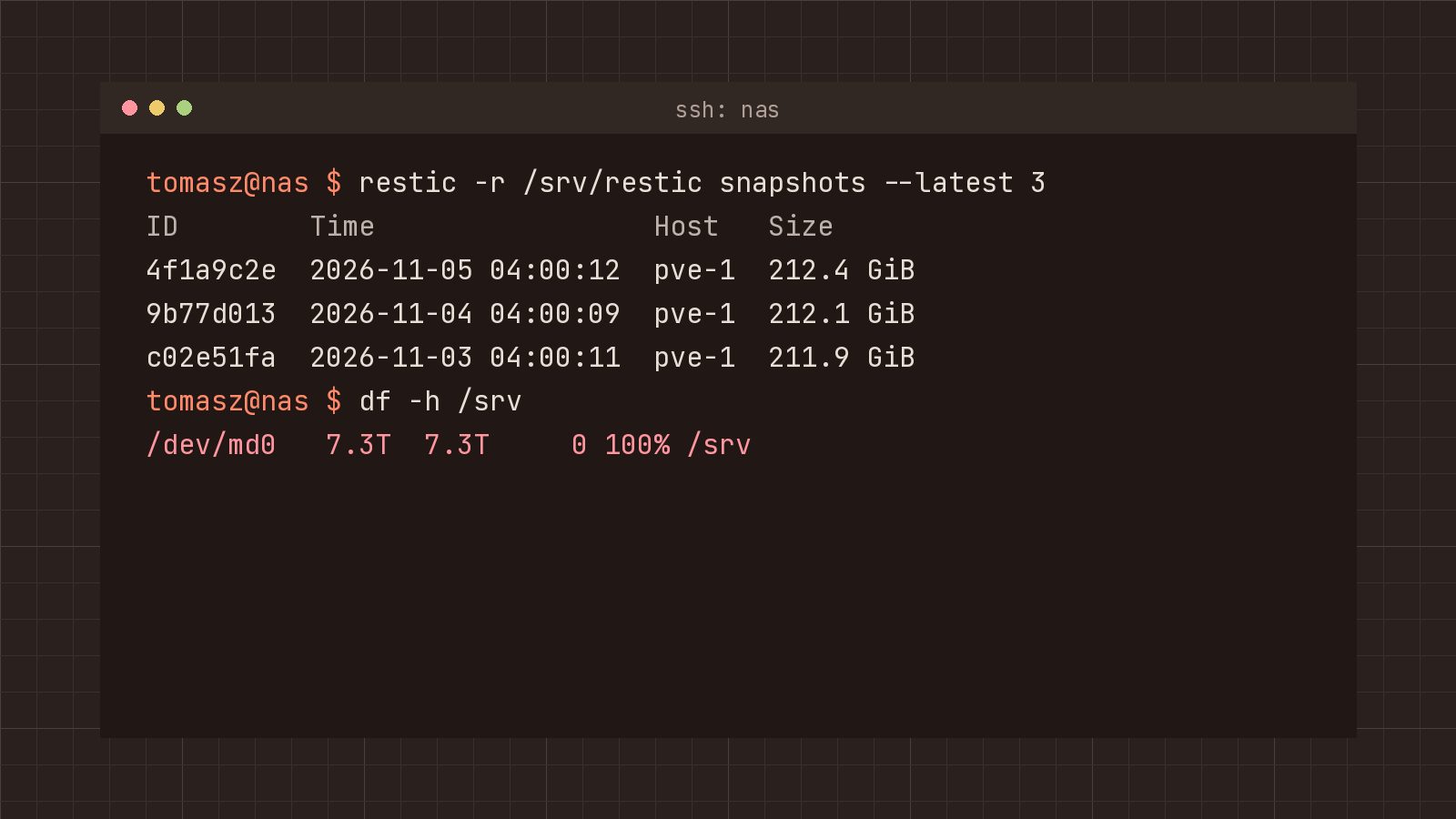
/dev/md0        7.3T  4.1T  2.8T  60% /srv
Diff
--- a/etc/default/grub
+++ b/etc/default/grub
@@ -9 +9 @@
-GRUB_CMDLINE_LINUX_DEFAULT="quiet"
+GRUB_CMDLINE_LINUX_DEFAULT="quiet pcie_aspm=off"
Marked, added and removed lines
ansible_user: root # [!code highlight]
restic_repo: sftp:restic@nas:/srv/restic # [!code --]
restic_repository: sftp:restic@nas:/srv/restic # [!code ++]
Tabs
$ sudo apt install restic$ sudo dnf install restic$ sudo apk add resticLong block, folded
- name: Install NUT
  ansible.builtin.apt:
    name: nut

- name: Set the mode
  ansible.builtin.lineinfile:
    path: /etc/nut/nut.conf
    regexp: ^MODE=
    line: "MODE={{ nut_mode }}"

- name: Describe the UPS
  ansible.builtin.template:
    src: ups.conf.j2
    dest: /etc/nut/ups.conf
  when: nut_mode == "netserver"

- name: Start the driver and the monitor
  ansible.builtin.systemd_service:
    name: "{{ item }}"
    enabled: true
    state: started
  loop: [nut-driver.target, nut-monitor.service]
Wrapped lines
[Service]
Type=oneshot
ExecStart=/usr/local/bin/restic-check.sh
Environment=RESTIC_PASSWORD_FILE=/root/.restic-password RESTIC_CACHE_DIR=/var/cache/restic GOMAXPROCS=2
Code with a caption
$ pvesm set nas-dump --prune-backups keep-last=3Horizontal rule
Separates a postscript from the entry.
Image, regular width
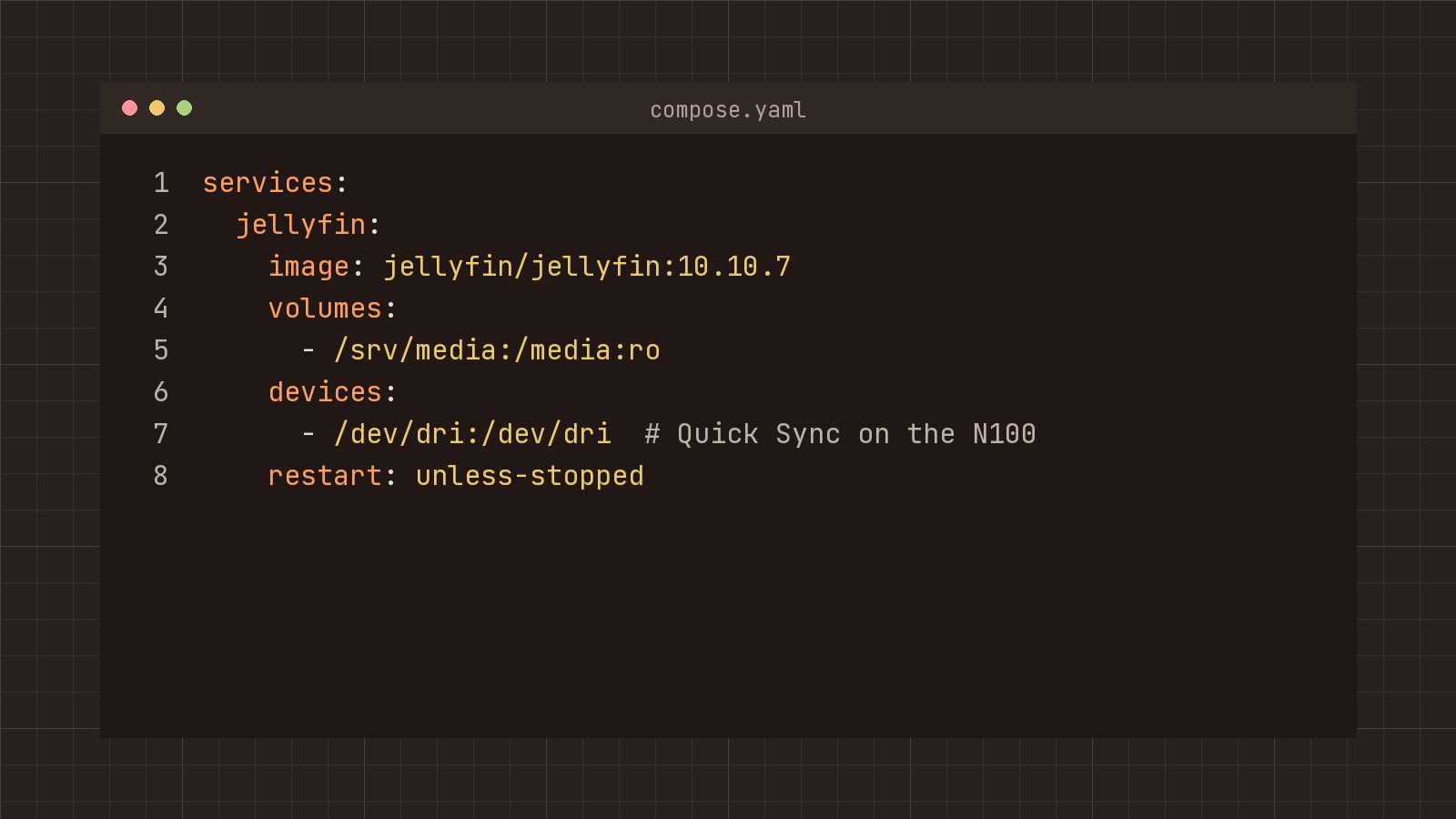
Image with a link
Image, wide
Image, full width
Gallery with two images
Gallery with three images
Callouts
Note, tip, warning and danger take the colours of the code. The others follow Ghost’s callout colours.
10.0.10.0/24.dd writes to whatever device you give it. Check the name with lsblk first.Toggle
Why Proxmox and not plain Docker?
Home Assistant wants a whole VM, and live migration needs a hypervisor. Docker still runs inside the containers that want it.
Why RAID 10 on the NAS?
A rebuild reads one disk instead of all of them. The cost is half the space.
Bookmark
 Tomasz Wieland
A second bookmark
 Tomasz Wieland
Button
Button, centred
Header card
Header card, split with image
Header card, centred
62.5 watts
The whole rack, on average, in October 2026.
Signup card
Call to action
The loft costs 175 euros a year in power. Supporters pay part of it.
Call to action for members
Only members see the card under this heading. Sign in and it shows up here.
Product
The N100 mini PC
Four cores, 16 GB, about 7 watts at idle. Three of them run the cluster.
Audio
Video
Looping video
File
Embed
nas: /srv 60 % used, last snapshot 04:00, all three nodes quorate.
HTML card with a table
| Node | Guests | Idle draw |
|---|---|---|
| pve-1 | 2 | 7 W |
| pve-2 | 2 | 7 W |
| pve-3 | 1 | 7 W |
Markdown card with a table
| Command | What it does |
|---|---|
pvecm status |
shows quorum |
restic snapshots |
lists the backups |
Typesetting
The first paragraph of an entry is set larger. These entries show the other variants:
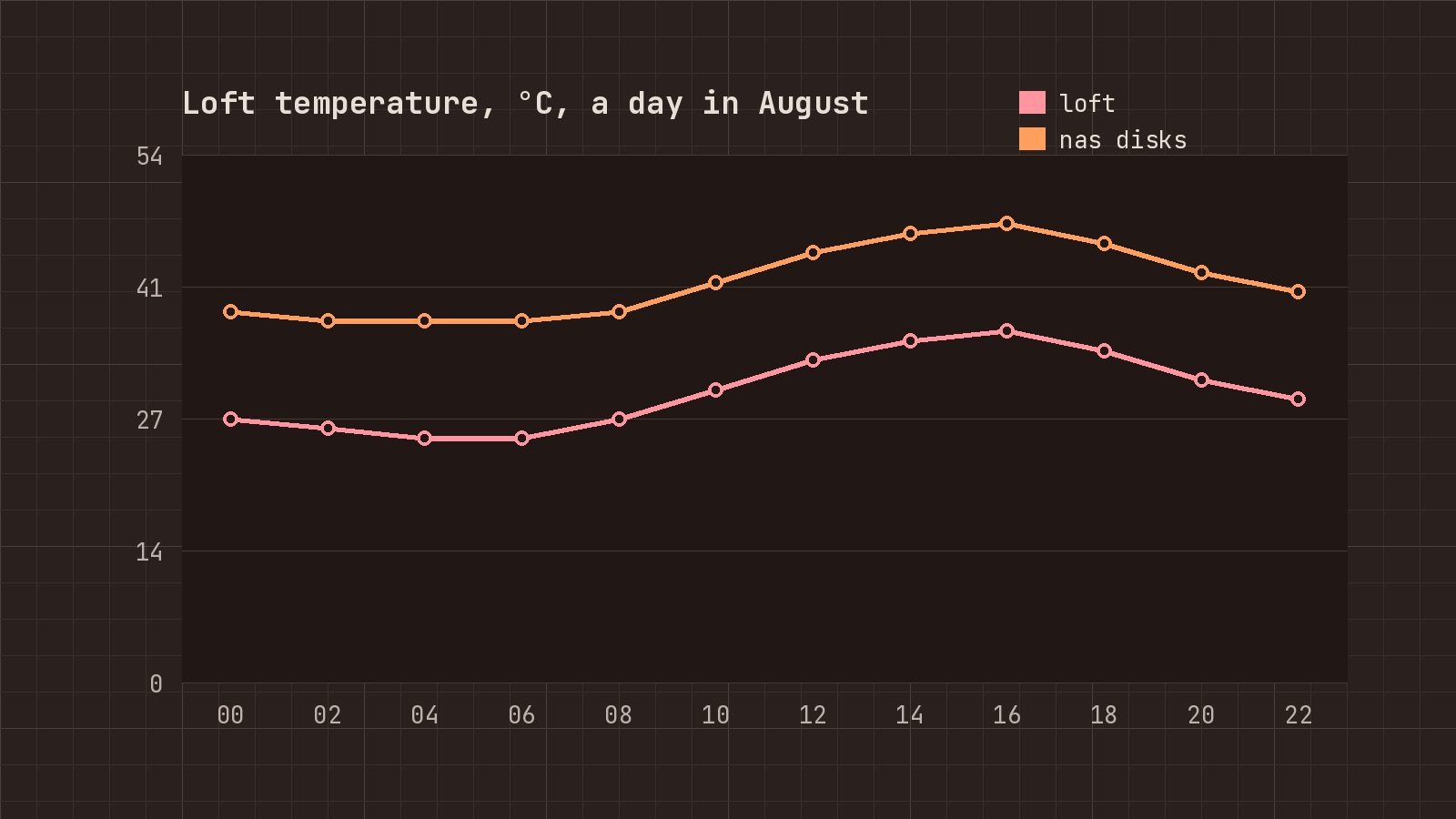
- The loft reached 36 °C, the disks 47 °C opens with a drop cap.
- A Raspberry Pi that only does DNS opens with small capitals.
- Why the rack lives in the loft is set justified.
- The VLAN weekend has no larger first paragraph.
Members pages
Readers who sign up meet four pages: Sign up, Sign in, Account and Pricing.
subscribe
New entries and the next chapter by mail, nothing else.